

Advancing Accessible Workflows
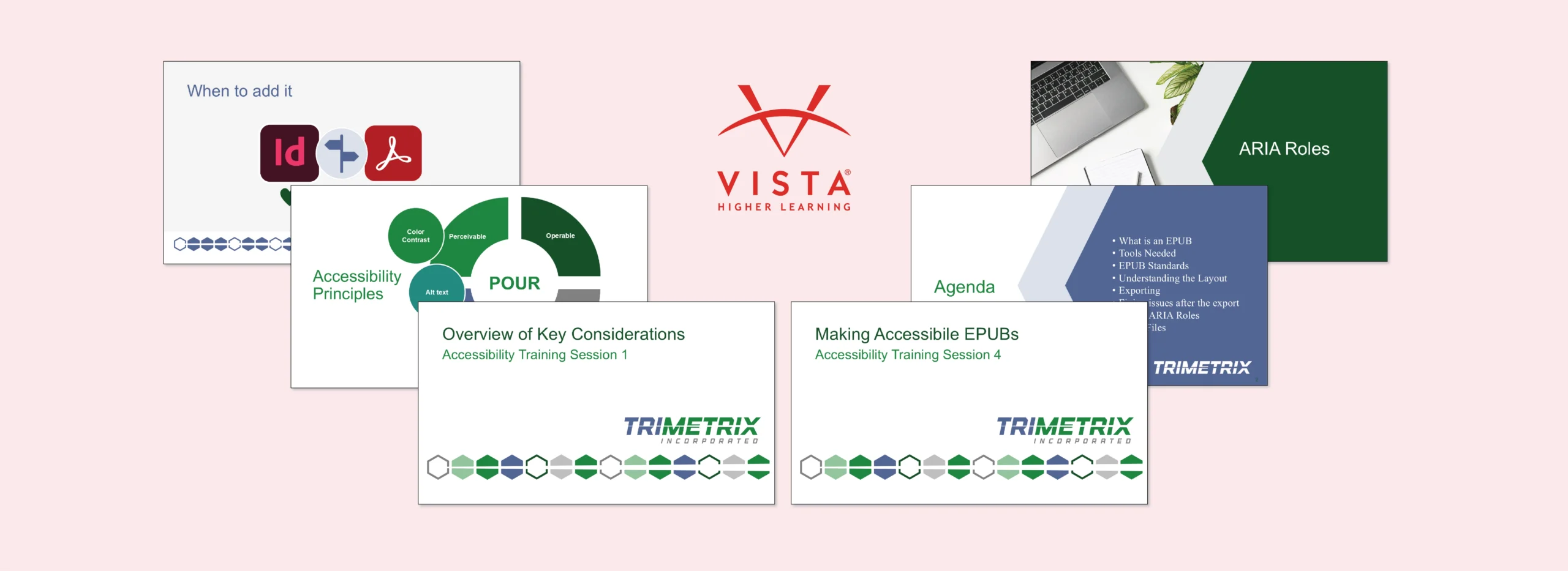
Vista Higher Learning (VHL) is an education organization that provides learning opportunities for all language learners — those learning a new language, improving a second language, or perfecting their native language. The team is committed to being inclusive of all learners.
Challenge
VHL wanted to ensure their publications were accessible. Their designers and developers learned and began implementing digital accessibility standards but needed additional expertise to master the concepts and build efficiency in their workflow. They reached out to TriMetrix for accessibility training tailored to their needs.
Solution
We developed and delivered a training plan and four, three-hour training sessions on accessibility over the course of one month. Spacing out the sessions allowed the Vista team to immediately implement the learning and bring any resulting questions to the next session.
Results
By having multiple teams on the calls, the Vista team was able to brainstorm together which department would own which steps. They felt much more confident with their collaborative workflow and using their software to create accessible documents.

Accessibility Trainings
To deepen the team’s accessibility expertise, we developed training sessions that included overviews on accessibility standards and best practices, deep dives into accessibility workflows in InDesign and Acrobat, guidance on testing tools and remediation strategies, and considerations for ePubs.
Workflow Analysis
During the trainings, TriMetrix analyzed current VHL content workflows live with cross-functional staff. This approach provided VHL with tangible examples of who should be responsible for different accessibility considerations and at what stages in product development. VHL staff were able to collaborate on the call with TriMetrix guiding them so they understood each role’s accessibility responsibilities and how it would have a ripple effect on preventing accessibility red flags later.

“It was quite a great experience learning from such professional experts. We enjoyed every session and acquired wide knowledge that allows us to implement multiple features in our projects. We very much appreciated your kindness and patience.”
Sebastián Diez
Senior Production Leader, Vista Higher Learning


Explore how we can work together to strengthen accessibility across your organization.

About Us
Learn more about who we are and what drives our work.

Stay in the Loop
Subscribe to our newsletter to stay up to date on all the latest happenings at TriMetrix.